
Built for Non-Traditional Early Childhood Educators whose work shapes families and society.
More than Instagram, a real Web Home for your early childhood program.
Independent Early Childhood Educators do vital work, but parents scrutinize everything. I offer thoughtful Websites Templates that help you look as established as you truly are, and make it easy for families to refer you.
Designed specifically for independent Early Childhood Educators (not generic small businesses).
This isn’t about “having a website.” It’s about trust.

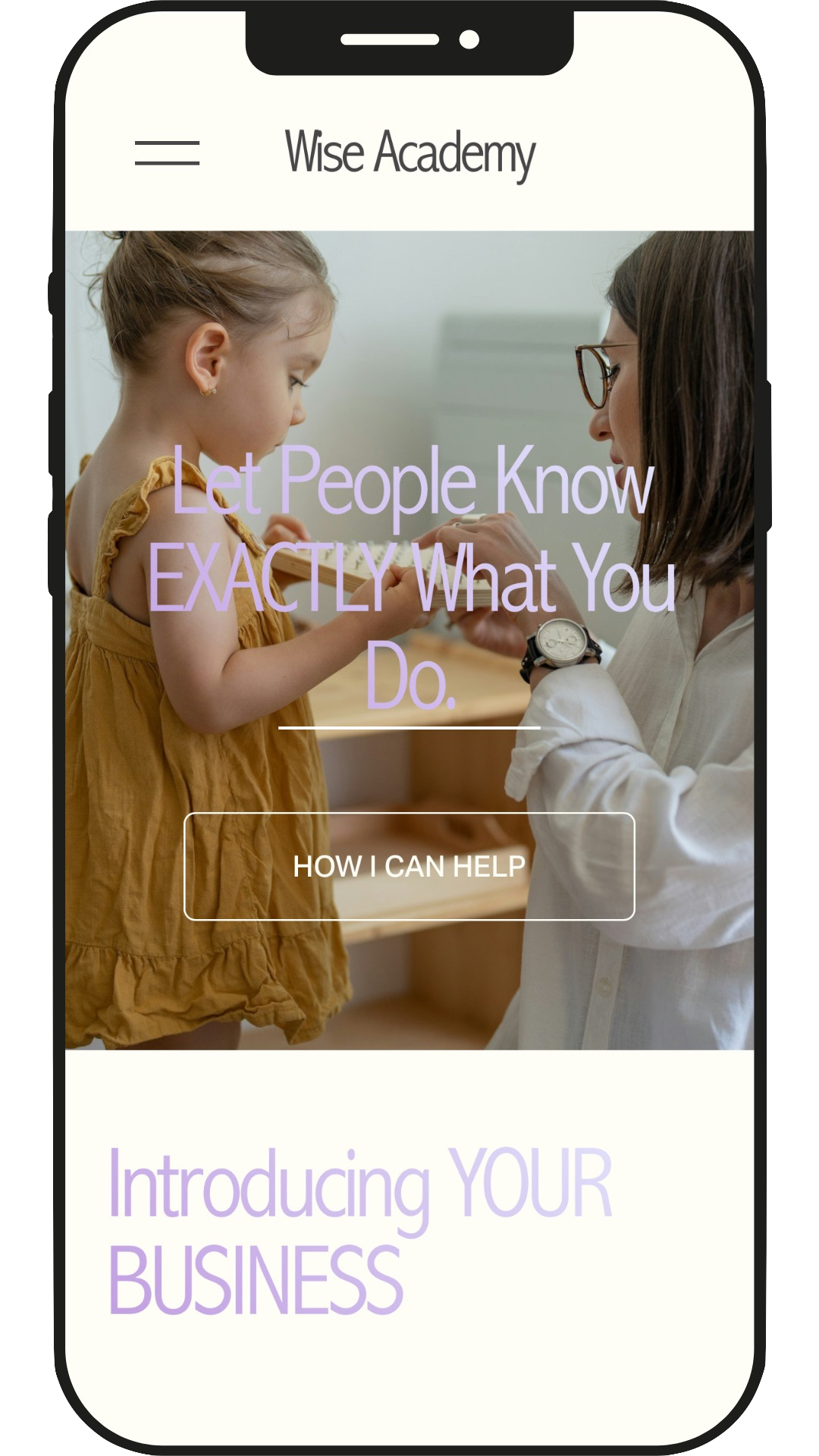
The Parental Scrutiny Test
Parents Google you. They compare your presence to other educators. They're making one of the most important decisions of their lives, choosing who will shape their child during the most formative years. When all they find is an Instagram account or scattered WhatsApp communication, you don't pass the scrutiny test. Not because your educational philosophy isn't sound or your experience isn't real, but because your digital presence doesn't match the importance of the work you're doing.
The Referral Friction Problem
A parent loves your work and wants to refer you to a friend. But what do they share? An Instagram handle that's mixed in with personal posts? A WhatsApp number? It's awkward. It's hard to forward. It doesn't look professional when they're recommending someone to care for their friend's child. The friction costs you opportunities with families who would be perfect fits.
The "I'm Not Real Yet" Feeling
You've done the training. You have the philosophy. You're ready to start your program. But without a proper home for your work—somewhere you can point people, somewhere that makes it official—it doesn't feel real. You're hesitant to tell everyone you're in business because you don't have a place to send them. The lack of a professional presence holds you back from fully committing to what you know you're capable of.
The Scattered Communication Overwhelm
You're fielding questions through Instagram DMs, answering the same questions via WhatsApp, trying to coordinate schedules through multiple channels. Parents can't find basic information about your approach, your schedule, or how to get started. You're spending hours on communication that should be simple, and it's taking time away from the actual educational work you care about.
Hey! I’m Lina
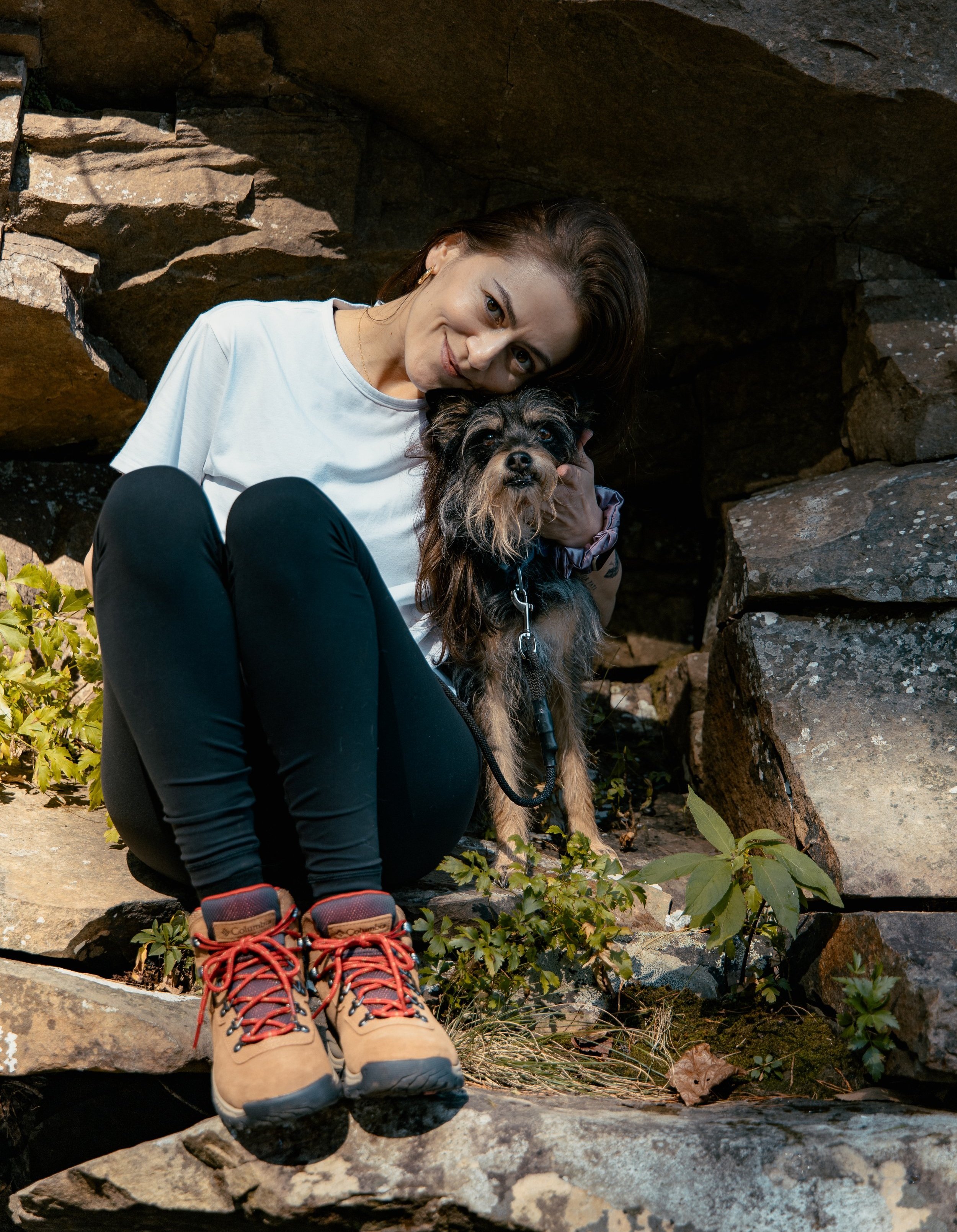


I love helping the helpers – teachers, educators, coaches, and young leaders – who are dedicated to and share a deep connection to a non-traditional education.
My close work with early childhood educators has provided me with valuable insights into designing website templates that effectively showcase their mission, knowledge, and transformative tools, guiding parents and caregivers to focus on what's biologically age-appropriate and meet children where they are developmentally.
Let’s be real—Not every small business has the budget for a custom website, but it’s more important than ever to put your best online foot forward. That’s where I come in. I specialize in creating meaningful designs and an effective online appearance with templates that are custom-built for educational leaders like you!
I’ve got you covered with my Squarespace Website Templates.






These templates are perfect for:
Independent Early Childhood Educators practicing non-traditional approaches (Waldorf, Montessori, nature-based).
Educators who need a website to "make it official" and feel legitimate.
Educators tired of scattered communication across Instagram and WhatsApp.
Educators who want to scale beyond word-of-mouth but don't have a way to make referrals easy.
Anyone who needs to pass the parental scrutiny test with professional web presence.
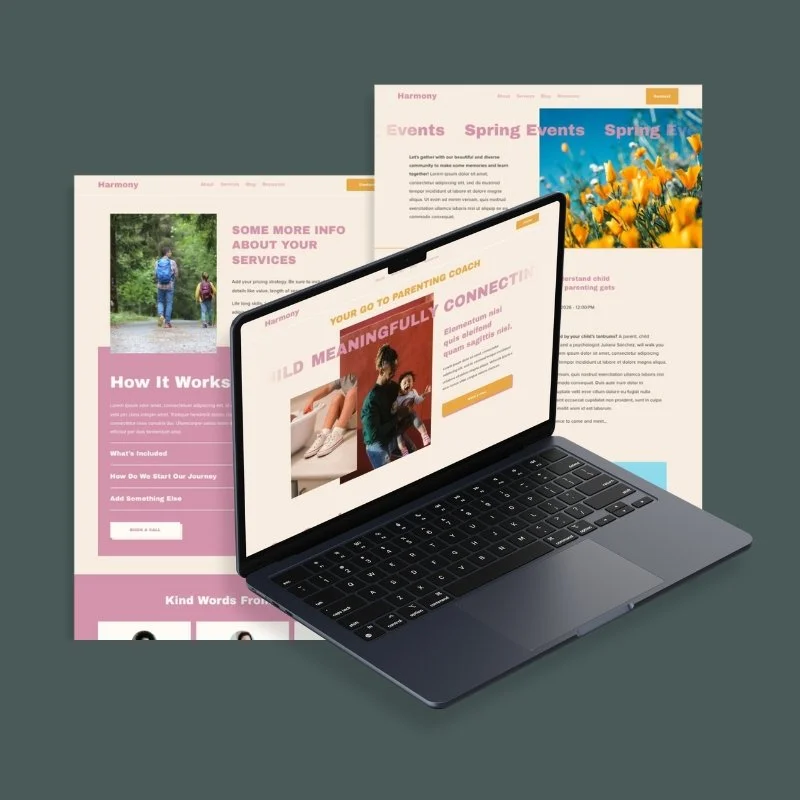
Shop Squarespace Website Templates

Explore Squarespace templates for sale & launch your site fast!
Starting at $200
How The Process Works
Your 4-Step Path to Professional Web Presence

1.
Purchase Your Template
Simple one-time purchase of $200 gets you immediate access to everything you need.
2.
Receive Your Customization Resources
As soon as you purchase, you'll receive:
Detailed step-by-step tutorials written specifically for your template, with screenshots for each step
Launch checklist so you know exactly what needs to be completed before going live
Confidence through clarity—no guessing, no searching random YouTube videos, just a clear path forward.
The tutorials are customized to the specific template you purchased, making it even easier to follow along and set up your website with confidence in your abilities.
3.
Add Template to Your Squarespace Account
Within 2 business days of purchase, you'll receive an invitation to add the template with 8 full pre-built pages as a new trial website to your Squarespace account.
If you don't have a Squarespace account yet: Click the invitation link to create one and receive the template.
Special Bonus: By purchasing from me, you get a 3-month free Squarespace trial—plenty of time to customize and launch at your own pace, with zero pressure.
When you're ready to officially launch, you'll get 10% off your first year of the annual Squarespace subscription.
4.
Customize and Launch (With Support)
You're not on your own! I provide:
90 days of template support via email after delivery.
Help troubleshooting any problems or technical issues related to the template itself.
You can also hire me for $70/hour anytime in the future for screen-share sessions or website updates.
Tutorials that don’t waste your time.
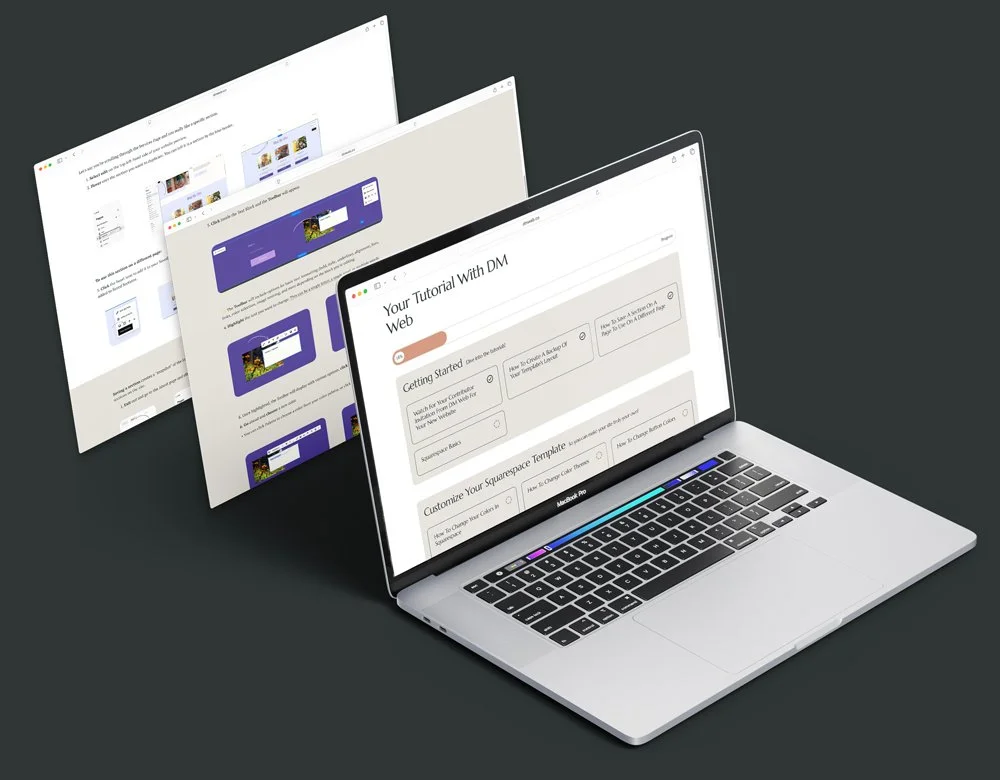
Think of it like having me right there beside you—guiding you through each part of your Squarespace site, one clear step at a time. The detailed tutorials I’ve written are customized to your specific template and break everything down so it feels doable, even if tech isn’t your thing.
Each step is explained like a set of Lego instructions—simple, visual, and easy to follow. You’ll know exactly what to click, where to go, and how to add your own text, colors, and images—so you can feel confident and in control every step of the way.
You’ll Need:
A domain name. Don’t have one? You can get this from Squarespace after your template install.
A domain is a unique name that identifies a website. It refers to the domain or authority this title has over all the pages under it. The domain name is what is between the ‘www’ and the ‘.com’ or other variations like .edu, .org, .biz, .me, .co.uk and many more.
A Squarespace 7.1 Plan for your new website. By purchasing from me, you’ll get a 3-month free trial so you have plenty of time to get your site ready to launch.
When you're ready to officially launch, you'll get 10% off your first year of the annual Squarespace subscription.
Your own text and images to replace the demo content.

“The human mind is fabulous at learning. You will get better at whatever you practice. But before you can develop the skill to succeed, you must find the courage to attempt.”
— James Clear
What Educators Are Saying
-
![Early Childhood Yomu Coach Maria Vasquez sitting on a river deck looking at a mountain]()
“Lina, a being full of nobility, love, presence, and kindness. A companion in both work and life, always willing, responsible, careful and precise down to the smallest detail, and deeply sensitive towards children and the work we do as educators. In her eyes, ideas and needs are translated into an attentive and precise reading. Lina, a collaborative, serene, conscious, and present woman. Undoubtedly, a professional full of ideas that turn into beauty; her hands and mind are always focused on offering her honest and sincere service wholeheartedly to others. Thank you, Lina, for your presence and for always being truly there.”
María Clemencia Vásquez
Yomu Coach / Music Professor at the University of Caldas -
![Cyclical Parenting Coach and Waldorf Educator Ninoska]()
"Dear Lina! Infinite thanks for putting your hands and heart into this! I’m so happy that you were in charge of the website. I couldn’t have made a better choice. Without a doubt, you were the perfect person for the job!"
Ninoska Nuñez
My Balanced Kid -
![Mindful nature program and summer camp teacher Anagizselle taking a selfie on a balcony in Miami]()
"I love working with Lina, she’s super professional and always on time. No matter how last-minute or wild my ideas are, she always makes them happen! I really appreciate how she listens to what I want, and every time she finishes a project, I completely fall in love with her work, the content, the colors, everything!"
AnagiZselle Rivera
Early Childhood Educator at Casa Dei Bambini -
![Early Childhood Yomu Coach Maria Vasquez sitting on a river deck looking at a mountain]()
"Lina, un ser en nobleza, amor, presencia y bondad. Una compañera de trabajo y camino siempre dispuesta, responsable, atenta al detalle y con una gran sensibilidad hacia los niños y hacia la labor que ejercemos los docentes. En sus ojos se traducen las ideas y necesidades en una lectura atenta y precisa. Lina, una mujer colaborativa, serena, consciente y presente. Sin duda, una profesional llena de ideas que se traducen en belleza, sus manos y mente siempre en atención a poner buenamente su servicio honesto y sincero a disposición de los demás. Gracias Lina por SER y ESTAR."
María Clemencia Vásquez
Yomu Coach / Music Professor at the University of Caldas


What Educators Are Saying
-
![Early Childhood Yomu Coach Maria Vasquez sitting on a river deck looking at a mountain]()
“Lina, a being full of nobility, love, presence, and kindness. A companion in both work and life, always willing, responsible, careful and precise down to the smallest detail, and deeply sensitive towards children and the work we do as educators. In her eyes, ideas and needs are translated into an attentive and precise reading. Lina, a collaborative, serene, conscious, and present woman. Undoubtedly, a professional full of ideas that turn into beauty; her hands and mind are always focused on offering her honest and sincere service wholeheartedly to others. Thank you, Lina, for your presence and for always being truly there.”
María Clemencia Vásquez
Yomu Coach / Music Professor at the University of Caldas -
![Cyclical Parenting Coach and Waldorf Educator Ninoska]()
"Dear Lina! Infinite thanks for putting your hands and heart into this! I’m so happy that you were in charge of the website. I couldn’t have made a better choice. Without a doubt, you were the perfect person for the job!"
Ninoska Nuñez
My Balanced Kid -
![Mindful nature program and summer camp teacher Anagizselle taking a selfie on a balcony in Miami]()
"I love working with Lina, she’s super professional and always on time. No matter how last-minute or wild my ideas are, she always makes them happen! I really appreciate how she listens to what I want, and every time she finishes a project, I completely fall in love with her work, the content, the colors, everything!"
AnagiZselle Rivera
Early Childhood Educator at Casa Dei Bambini -
![Early Childhood Yomu Coach Maria Vasquez sitting on a river deck looking at a mountain]()
"Lina, un ser en nobleza, amor, presencia y bondad. Una compañera de trabajo y camino siempre dispuesta, responsable, atenta al detalle y con una gran sensibilidad hacia los niños y hacia la labor que ejercemos los docentes. En sus ojos se traducen las ideas y necesidades en una lectura atenta y precisa. Lina, una mujer colaborativa, serena, consciente y presente. Sin duda, una profesional llena de ideas que se traducen en belleza, sus manos y mente siempre en atención a poner buenamente su servicio honesto y sincero a disposición de los demás. Gracias Lina por SER y ESTAR."
María Clemencia Vásquez
Yomu Coach / Music Professor at the University of Caldas
Frequently Asked Questions
SQUARESPACE TEMPLATES
-
Purchase your template.
Immediate delivery. I’ll install your new template with 8 full pre-built pages within 48 hours of purchase as a new trial site.
I’ll provide tutorials showing you how to update your website yourself. Squarespace makes this easy and is designed to feel intuitive and familiar, like the platforms you already use every day.
The tutorials, a detailed step-by-step article written by me and customized to the specific template, along with a launch checklist, will be sent straight to your email as soon as you make your purchase.
Make it your own.
-
Version of Squarespace 7.1.
-
I’ll install your new template with 8 full pre-built pages. This typically includes the home page, about, events, services, service details, blog, and 2 other pages.
You can add or remove any pages you’d like! Easily duplicate a template page to reuse the layout, or create a page from scratch.
More custom pages can be added for an additional fee.
-
You'll need:
A domain name. (Don’t have one? You can get this from Squarespace after your template install).
A Squarespace 7.1 Plan for your new website.
By purchasing from me, you’ll get a 3-month free trial so you have plenty of time to get your site ready to launch.
When you're ready to officially launch, you'll get 10% off your first year of the annual Squarespace subscription.
Your own content: text and images to replace the demo content.
-
No way! I've designed these to be user friendly.
When you purchase one of my Website Templates, you'll receive a complete support package.
This includes a detailed step-by-step article written by me, customized to the specific template, along with video tutorials provided by Squarespace to help you navigate the platform.
The articles include screenshots for each step, making it even easier to follow along and set up your website with confidence in your abilities.
🔸 The tutorials use normal language (no tech talk).
🔸 It’s simple and you’ll get clear instructions.
🔸 No Coding Required
-
Yes! If your website is currently on a different platform, you can connect or transfer your domain to your new Squarespace site when you're ready to launch. I’ll walk you through the process with step-by-step tutorials included with each template.
-
Yes, you can completely customize the template to match your own brand. You can even change the layout—anything goes! There are walkthrough tutorials showing you how to do this.
• Do I need to customize every page in the template? Not at all! My templates are fully designed and ready to use. You can use the template as-is by simply adding your copy and images.
-
Yes.
A Squarespace hosting plan. You can see current pricing here.
A domain name. If you don’t have one, you can get one free for one year with your new annual Squarespace hosting plan.
By purchasing from us, you’ll get a 3-month free trial so you have plenty of time to get your site ready to launch.
When you’re ready to purchase your Squarespace plan, you’ll also get 10% off your first year of the annual subscription. -
Yes! For online shops and e-commerce, we use Squarespace.
Please contact us to discuss your specific needs and the platform's capabilities. Let’s talk!
-
Because of the digital nature of my products, they cannot be returned and are non-refundable.
Please email me if you have any specific questions about this before you make a purchase: lina@dmweb.co
-
I’ll be there to guide you every step of the way. I offer 90 days of template support after delivery, via email.
I’ll help you troubleshoot any problems you have or any technical issues related to the template itself.
You can also hire me for an hour any time in the future to screen-share or make future updates.
-
🔍 Search Engine Optimization (SEO): The concept or process of making changes to a webpage to improve its organic search rank. These changes can include site structure and content.
💡Squarespace Websites are designed with SEO best practices. The built-in SEO settings can be adjusted for every page on your site.
Some SEO features need to be enabled or rely on your text input. You’ll find Squarespace SEO resources in the tutorials provided with each template.
Did I leave any questions unanswered? Reach out to me at lina@dmweb.co
Contact me
LET’S CREATE TOGETHER


I’d love to hear from you. Due to the volume of emails I receive, I do my best to respond within 48 hours.
Fill out this form & I’ll reach out with next steps.